
So this post is a little different. I asked some of my favorite Substack creators to share the AI tools they are using to make software, plus why they keep reaching for them. Not polished marketing blurbs or feature list from tool websites.
Today’s post is real opinions from people who spend plenty of time shipping code and writing about the craft. I’m genuinely excited about this one because it gives you something I can’t: a bunch of fresh perspectives in one place.

AI tools for writing software are moving fast enough that a “best of” list would go stale basically the moment I hit publish. I’ve gone from Copilot, to Cursor, to Claude Code, and now Codex. All within the past 18 months.
The tool that makes you faster is the one that fits how you think, how you debug, how you review code, and how much control you want to keep while you work.
You’ll see a few names pop up again and again, especially Claude Code and Cursor. But what’s more interesting than the tools themselves is how differently people use them: some treat them like a pair programmer, some like a refactoring engine, some like an always-on reviewer. Read the quotes, steal the workflows, and pay attention to the patterns that match your style.
If you’re new here, this newsletter is for tech workers who want to multiply their impact using bleeding-edge AI tools. If you want to accelerate your career, you’re in the right place.
Now let’s get into it!
Gregor Ojstersek uses Cursor and Perplexity
Gregor Ojstersek from Engineering Leadership:
For coding, my main choice of an AI tool at this time is Cursor.
I tried all the most popular AI coding tools, and here is my reasoning for using it: I prefer to do prompting directly inside the IDE, rather than in a terminal or a separate app.
This provides a clear overview of the changes made when I use the agent mode, allowing me to review and make manual adjustments easily. It’s harder to do that, and also a worse experience imo, if you are using your terminal for prompting and then looking for changes in an IDE.
I still prefer using a UI like the Codex app, for example, than doing prompting directly in the terminal, just my preference.
For researching how to do something, I use Perplexity and ChatGPT. For deeper searches on how to do something, I’ll use Perplexity and quick questions, ChatGPT.
Logan Thorneloe uses 4 tools (!)
Logan Thorneloe from AI for Software Engineers:
This is a tough one. I'd say I primarily use ~4 tools, Claude Code, Gemini CLI, Qwen CLI, and Antigravity.
I prefer CLI agents because they not only code, but are really good computer control agents. They can pretty easily and intuitively help me write code, but also anything I can do from the terminal I can instruct them to do for me.
For example, I use CLI agents basically every time I code, but I also use them to write because I write in markdown. It was able to investigate and fix the problem for me. This lets them directly interact with what I'm doing, use web search to pull source, edit, review, etc.
I've also used CLI agents when setting up Linux desktops and I've accidentally ruined one of my settings that disabled the desktop UI. I use Gemini CLI at work and for personal use. I also use Claude Code to test something other than Gemini CLI and because I've found it to be the best way to code from my phone via the Claude app, which I've found myself doing a ton recently.
I use Qwen CLI when I don't have internet or anytime I want more control over how the model works and interacts with my code/documents or when I'm working with sensitive information.
I also use Antigravity as my primary IDE now and the agent has become my primary in-IDE editor. I'm a fan of the separate agent manager and the generous free quota. Let me know if you have any questions or want more info.
Jenny Ouyang loves Cursor
Jenny Ouyang from Build to Launch:
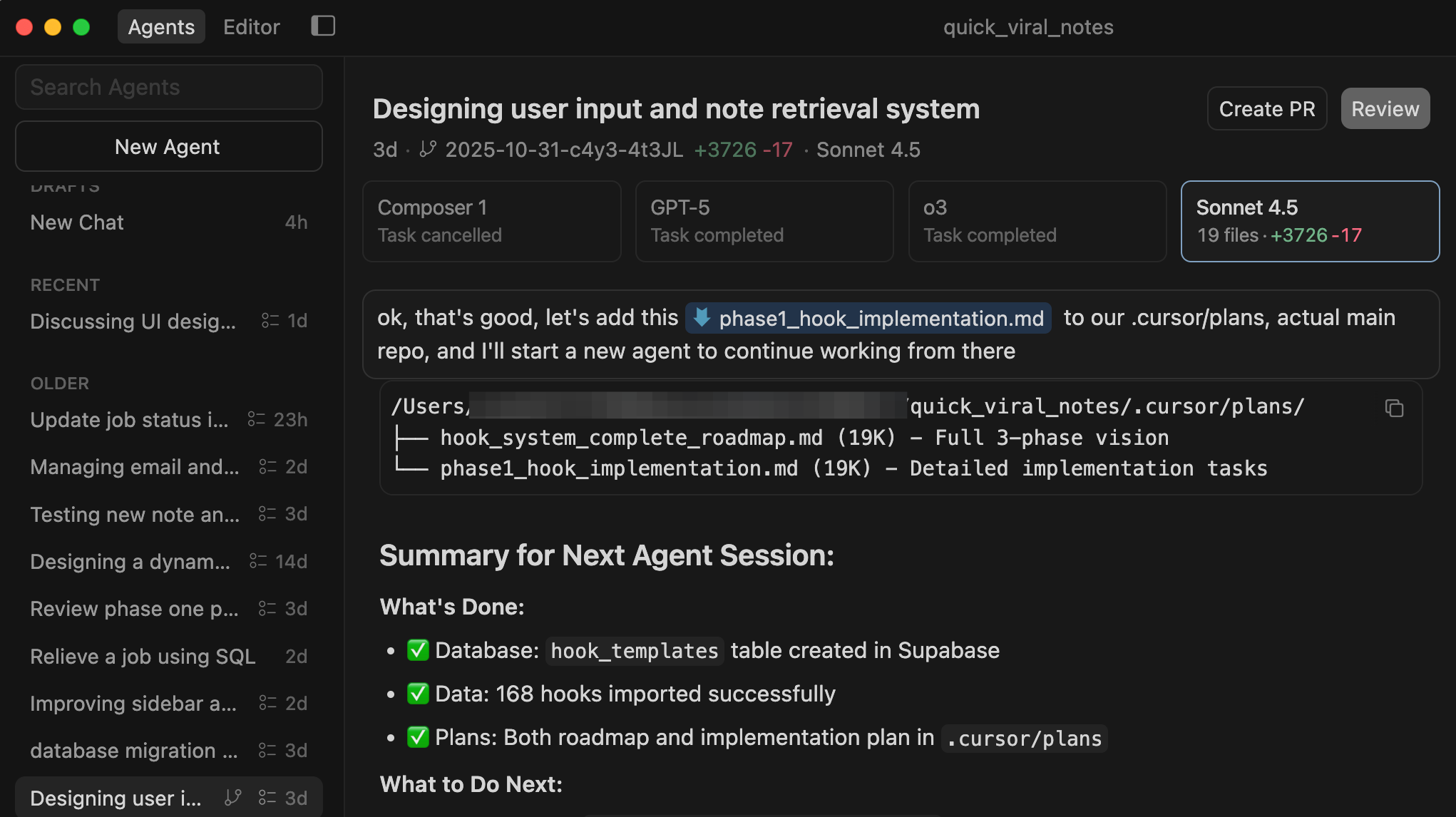
I've built 10+ production applications with Cursor — not prototypes, real tools processing thousands of API calls, managing databases, and generating revenue.
What makes it different is that it understands your entire project. Not just the code — my writing system, my content folders, my analysis scripts, everything becomes collectively accessible in one place.
The tool I debated most was Claude Code. They're both powerful, but Cursor won because of the visual interface. With Claude Code, you're working in the terminal — it's a black box where you can't always see what's actually happening across your files. Cursor lets me see exactly what it's doing, which files it's touching, and intercept at any step. That visibility changes how confidently you can build. Other platforms like Bolt and Lovable are great for quick prototypes, but when something breaks, you're stuck.
With Cursor, you own every file and can modify anything. It's less like coding and more like explaining your vision to a senior engineer who has perfect memory of your entire project.
Casandra Campbell uses v0
Casandra Campbell from Really Good Business Ideas:
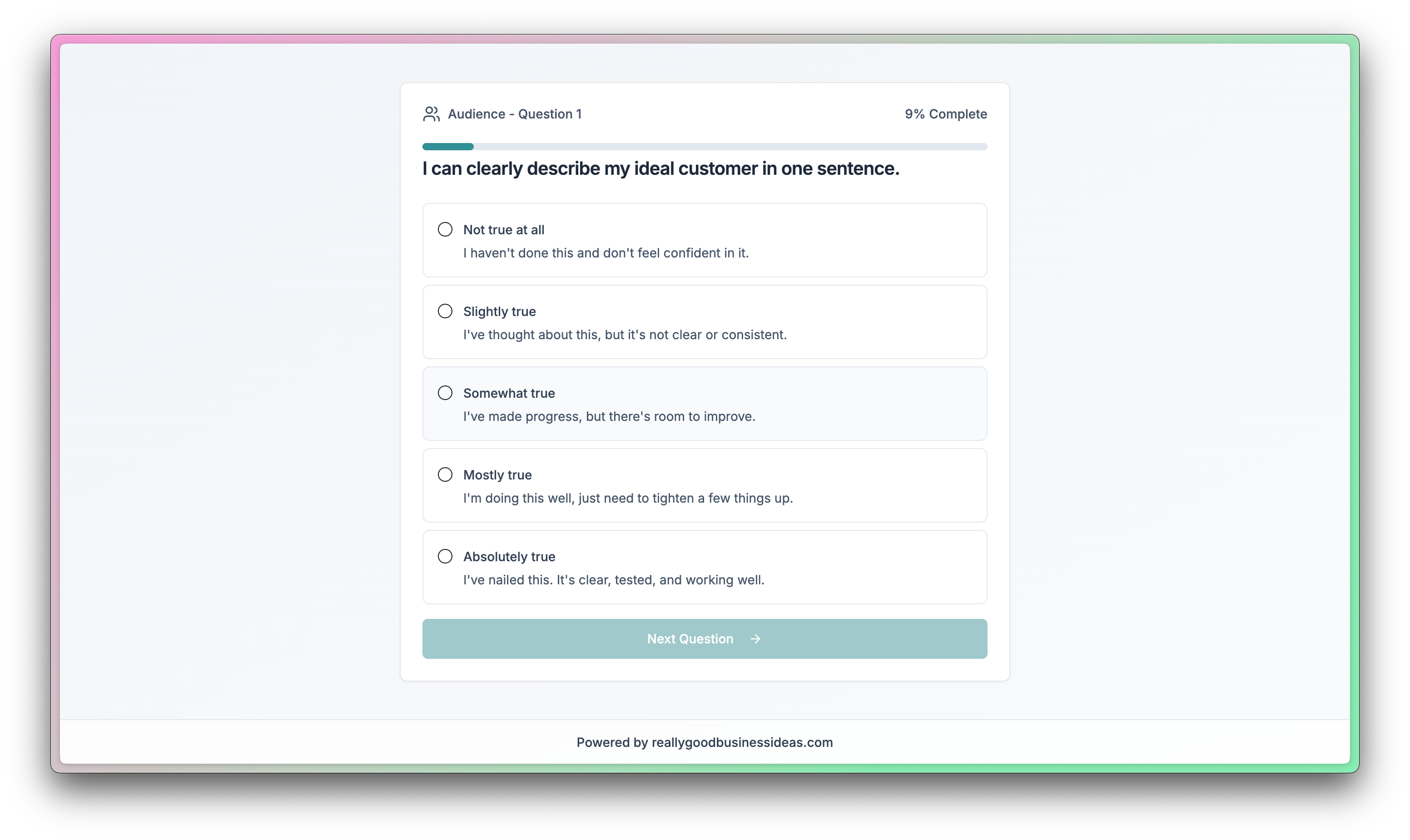
Most of the time, I'm making simple software products like tools for my paid subscribers or lead magnets and landing pages for a funnel, so I usually turn to v0 by Vercel.
I find that v0 can create clean, simple, functional products very quickly with only a few prompts. From there, refining and deploying it is easy, and I appreciate how they handle versioning and environment variables to keep things as straightforward as possible.
Ilia uses Claude Code
Ilia Karelin from Prosper:
My current favorite tool for making software is Claude Code and the variations of it. By variations, I mean Claude Code in the dekstop app and Claude Cowork.
You don’t like the terminal look? Great, go to Claude Code in desktop. You don’t like that either and it’s too complex?
Not a problem, you can go into Claude Cowork (Claude Code’s easier version) and do your work there.
Claude tends to be #1 on their quality of models and Claude Code is a great way to get straight access to Claude without going through a middle man (Cursor, etc.).
The combination of Opus 4.6 in plan mode, custom agents, slash commands, .md files, can get you to your final result that you desire very fast. Another amazing thing about Claude is that Anthropic’s team keeps innovating and making it better, almost daily! With features like
/insights, it can help you develop better worfklows, reduce errors, and improve the quality of your processes and products!
Ilia has written about Claude Code Skills for the newsletter, and I’m excited to have him back next month!

Karo uses Replit
Karo (Product with Attitude) from Product with Attitude:
Replit is strangely underused on Substack, and that still surprises me. I built stackshelf.app, attitudevault.dev, and some unglamorous but very useful admin tools with it.
I choose it for coding projects where UI matters a lot. It’s the best vibe coding tool I’ve tested, and has an unsettling habit of getting my requirements right the first time. Every time. It wasn’t always like this.
In early 2025, before they launched Agent 3, Replit would tell me it knew exactly what to do, and then do the opposite. You can read about it in I Broke Replit So You Don’t Have To. BUT! I haven’t seen that behavior in about five months. These days it gets the requirements, asks when it doesn’t, checks its own code, and even runs tests itself.
You can literally watch it click through your app on screen, which is... oddly satisfying. That said, like most vibe coding tools, Replit is opinionated. It has strong feelings about certain frameworks and fewer feelings about others. Which is why you need to show up with more attitude than it has.
Christian Pean, MD, MS uses Claude and Lovable
Christian Pean MD, MS from Techy Surgeon:
This combination is fantastic for non-technical users of AI tools—Claude serves as an iterative brainstorming and prototyping partner, while Lovable brings sites to life.
I've built searchable databases for health policy requirements, internal tools like specialized CRMs that eliminated our dependency on Notion and HubSpot (saving significant time on data entry), and meeting operating systems to streamline workflows.
As CEO of RevelAi Health—a company building AI-powered care coordination for healthcare—we use Claude Code extensively to develop HIPAA-compliant software and analyze claims data in privacy-preserving ways. "Claude has become essential infrastructure for both building our product and understanding our customers' needs."
The combination of conversational AI with rapid prototyping tools has fundamentally changed how quickly we can move from concept to functional system.
I also run the Techy Surgeon newsletter, where I explore clinical AI implementation for healthcare executives—and honestly, most of my content workflow now runs through Claude for research synthesis, evidence-based analysis, and translating complex policy into actionable insights.
Wyndo uses Cursor
Wyndo from The AI Maker:
I use Cursor all the time now. Even though I’m not a tech person, the vibe-coding experience makes me more comfortable navigating this tool.
I like Cursor because I have more control over my code and how I want the agent to behave. A lot of customization options are available: sub-agents, MCPs, rules, AI models, etc.
The ability to play around with context files is also interesting. Now Cursor has Debug Mode and browser access, so it can understand the code on a website for further UI improvements.
Composer 1.5, the new model, also helps me a lot in speeding up my process for low-level tasks such as updating UI or fixing minor bugs. The speed is on a whole different level. Cursor is also able to connect with the claude MD file, which makes it more powerful at understanding file context and patterns.
Orel uses Cursor:
Orel from The Indiepreneur:
My favorite tool for making software is Cursor because it lets me choose any model that I want to use to generate code. The completion is quick and awesome. These two, for any new feature that I want to add or a new product that I want to build or anything like that, I just use Cursor.
I build an elaborate PDF prompt with Claude, then I upload it to Cursor, and then it builds everything. Most of the time it's just one shot and it's ready. Yeah, freaking love it. That's what I use for AI too.
Honestly, I only tried Github Copilot back in the day, like one or two years ago, and it was awful. Everything about it was just awful. I didn't like it, and when I switched to Cursor, it was just a whole new world. I used a lot of AI tools. I used Cursor. I use Claude. I also use Bolt to build a layout or the UI of anything that I want to add, just to have an idea of something that looks good with good UX.
Bolt is my favorite so far. I tried LavaBolt; it's just a bit slow and feels a bit clunky; don't like it. I tried Bates44; I don't like it as well. I tried V0, and that's cool, but I didn't use it for a while.
Michael Jovanovich uses Claude Code
Michael Jovanovich from Claude Code: Response Awareness Methodology:
I think the future of non-safety-critical software is this sort of low-code, no-code environment where you express your ideas and design choices to AI systems that produce a product you then give feedback on and iterate.
The syntax, functions, and so on will become not unlike the 0s and 1s underlying code today: there in the background, but not something you think about outside of edge cases or really advanced, safety-critical work.
The much bigger focus will be the grand vision of your design and what's actually useful to people about it. I find Claude models more enjoyable to collaborate with, brainstorming, solving problems together, where other models feel more like task-doers than collaborators.
For well-defined, commonplace work like building a website, things abundantly represented in any company's training data, it's pretty much a wash between leading models.
But when it comes to hard stuff, stuff that's never been done before, like the novel ML experiments I've been working on. I would way rather work with Claude to figure out what should be done. There's something hard to describe about Claude models that feels genuinely above the others when you're coding into unknown territory.
Kamil Banc uses Claude Code
Kamil Banc from AI Adopters Club:
I absolutely prefer using Claude Code inside a terminal for several reasons. I suppose I enjoy the way it encourages critical thinking and learning, providing minimal handholding. I need to actively engage and figure things out myself. However, I can always ask it questions if I encounter any difficulties. I primarily use Claude Code through voice dictation.
He’s also created Claudia, a terminal-based AI assistant. I love to see real projects people are shipping with AI!
Daria Cupareanu uses Lovable
Daria Cupareanu from AI blew my mind:
I've tried a bunch of tools throughout time - Replit, Bolt, Emergent, HeyBoss - but Lovable is the one I keep coming back to.
Least amount of friction by far and I've been able to build even complex platforms with a lot of moving parts. Part of it is familiarity at this point, but it consistently delivers where others gave me headaches.
Honorable mention though: I recently experimented building with Claude Code by trying to recreate a better version of a product my friend and I built a year ago, which involved processing a huge database with hundreds of thousands of records. That project took us a couple of weeks back then. Now, Claude Code did it in 20 minutes and created the platform instantly. Safe to say I might become obsessed with Claude Code.
But since I've only been building with it for a few weeks, Lovable still gets the official answer.
Barret uses Claude Code
Barret | Buying to $10M from The $10M Acquisition Journal:
I jumped ship from Codex to Claude Code and haven't looked back. I use for my consulting work, my side projects, all of it Two things sold it for me.
The biggest was
/planmode. I can sketch out the full architecture of a component, and give it enough context of the overarching vision, before any code gets written.I don't see that as vibe coding, but I have a lot of domain knowledge, so I'm able to steer it really well. Second, and it's minor, but I can actually 'talk' to it. Give it my thoughts on pro/cons about architecture decisions, debate approaches, figure out the right pattern for the problem.
It's like having another senior engineer who doesn't get tired and doesn't have an ego ( BIG FKN PLUS lol ).
Short version: I use it to think with me, not for me. That's the difference. I had very similar experiences with Codex-CLI but something about Claude made it more 'enjoyable' for me. I've not been able to put my finger on it, tbh.
Barret has actually written about building with AI for the newsletter:

I have used all of these tools, and it’s exciting to see how each person’s workflow and priorities shape their tool preferences! I’d encourage you to check out each Substack linked above - there’s some incredible insight being shared on each one!
And if you’re curious about using AI tools to write software, you’ll probably like The AI-Augmented Engineer. Join us!
Loved this roundup, Jeff! That's the workflow-first reality of AI-assisted dev, the ''best'' tool is almost always best for *this* workflow, with *this* person's habits. Big thank you for pulling this together and for including me 🤗
Amazing!
Glad to be part of this. And of course, Cursor rules! 🔥