
Cursor has a lot of really cool features. You can get started with the tool right away, without changing much from your VS Code workflow. But slowly introducing more advanced features over time is a great way to level-up your workflow.
One of the coolest things they introduced in Cursor 2.0 was the ability to run parallel agents, which gives you an easy way to get the best result from among a number of different models.
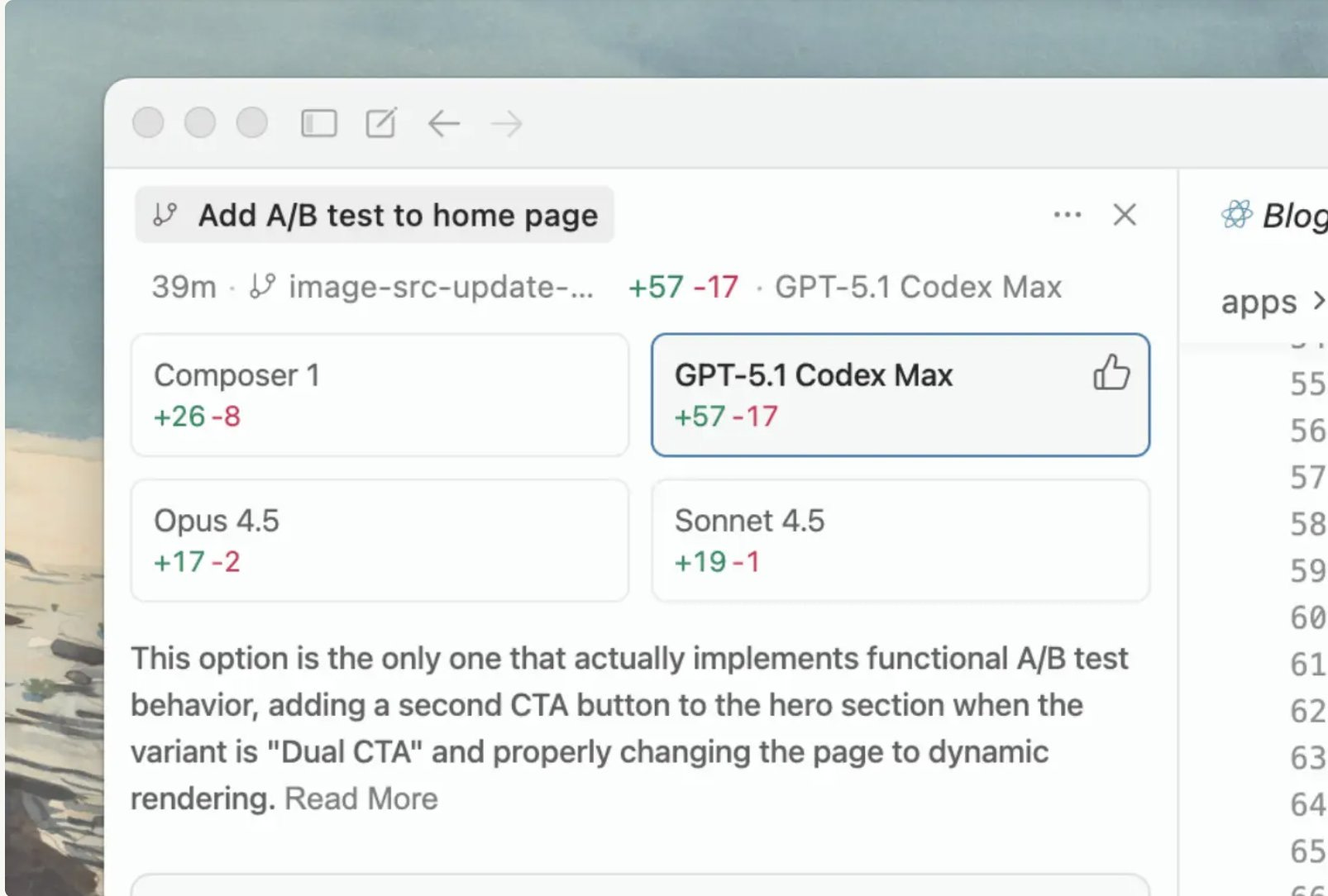
Cursor calls this “Best of N”. Doing this burns tokens, so be aware of how your usage is affected by Cursor pricing. But if you have the tokens to spare, parallel agents are a great way to get better results in your projects without much extra time or effort.
Using parallel agents in Cursor for a real project
Lately I’ve been tinkering on an AI powered project I’m calling “Notes from Posts”. We built out a simple MVP of the project in a post not long ago where we explored Gemini 3 Pro:

The project lets the user (which is just me for now) paste in a long-form post (like those on my substack), then it generates a bunch of short-form posts from that longer content. The idea is that it will help me share tidbits of value from the newsletter on Substack’s notes platform, which has been a place where tons of you discovered the newsletter.
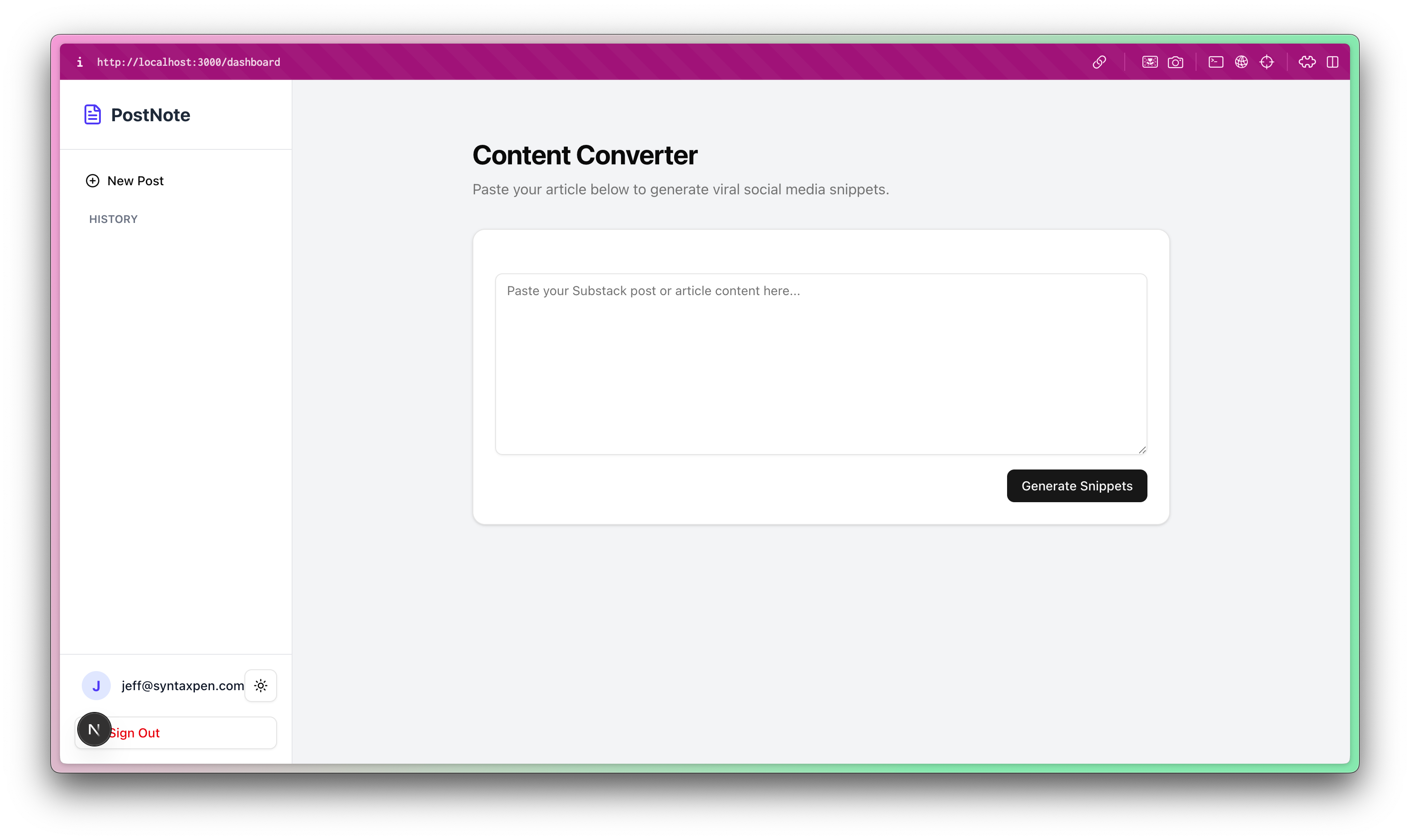
But the project is clearly unfinished. One immediate feature I’d love to have is the ability to add the generated short-form posts to a queue of posts, and the ability to archive posts out of the queue.
Adding a queue should be relatively straightforward. It’s something I could definitely do without AI-assistance, so it seems like a great task to use to judge model performance.
The AI Agent for production-grade codebases
Today’s newsletter is sponsored by Augment Code!
Augment Code’s powerful AI coding agent and industry-leading context engine meet professional software developers exactly where they are, delivering production-grade features and deep context into even the largest and gnarliest codebases.
With Augment Code you can:
Index and navigate millions of lines of code
Get instant answers about any part of your codebase
Automate processes across your entire development stack
Build with the AI agent that gets you, your team, and your codebase
The problem with multi-agents and databases
One immediate problem is the database. Adding a queue like this will clearly require database changes.
This isn’t a problem when I’m usually working on big projects, because I’m used to using database migrations (usually in Rails) to test out database changes. We’re a little more casual (read: a lot more casual) with this project. It will really slow me down to execute and then undo multiple sets of database changes in my Supabase project, so we’re going to get the planning and database changes done before the rest of the implementation.
I set Cursor to plan mode, selected GPT-5.2 as the model, and started with this prompt:
From the generated short-form posts (notes), I’d like to be able to click a button to add them to a queue of those short posts/notes. In a separate view, I’d like to be able to see, rearrange, and pop from that queue. Plan out the work required to do that, starting with the database changes required to support it. Do not implement, start only with a plan.I’m impressed with GPT-5.2’s reasoning and how well it does planning like this. If you haven’t read into the GPT-5.2 release too much, check out our post on it:

Also, I’m growing to love the question and answer interface of Cursor’s plan mode. It’s a great way to make sure the model is aligned with your ideas before burning tokens.
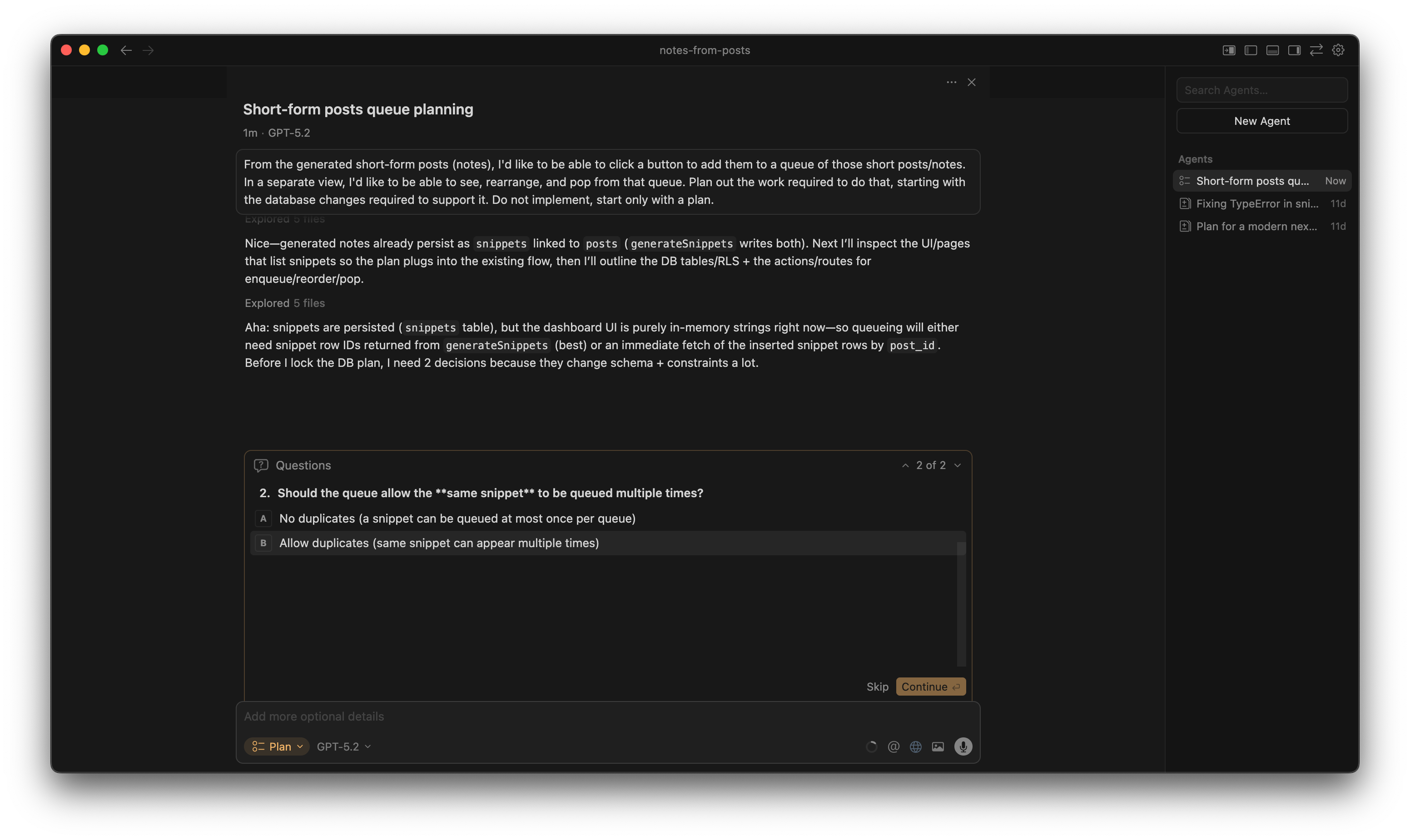
I’m happy with the plan here, so I saved it to the workspace and instructed the model to proceed with just the database changes.
I reviewed the database changes (and tweaked them slightly), then applied them in Supabase, so it’s on to actually implementing the feature.
Orchestrating the parallel agents
Okay, this is where the fun begins. Orchestrating parallel agents in Cursor is not radically different than your normal agent workflow. You just have to turn the feature on. Just click the model selector, then toggle the switch for multiple models.
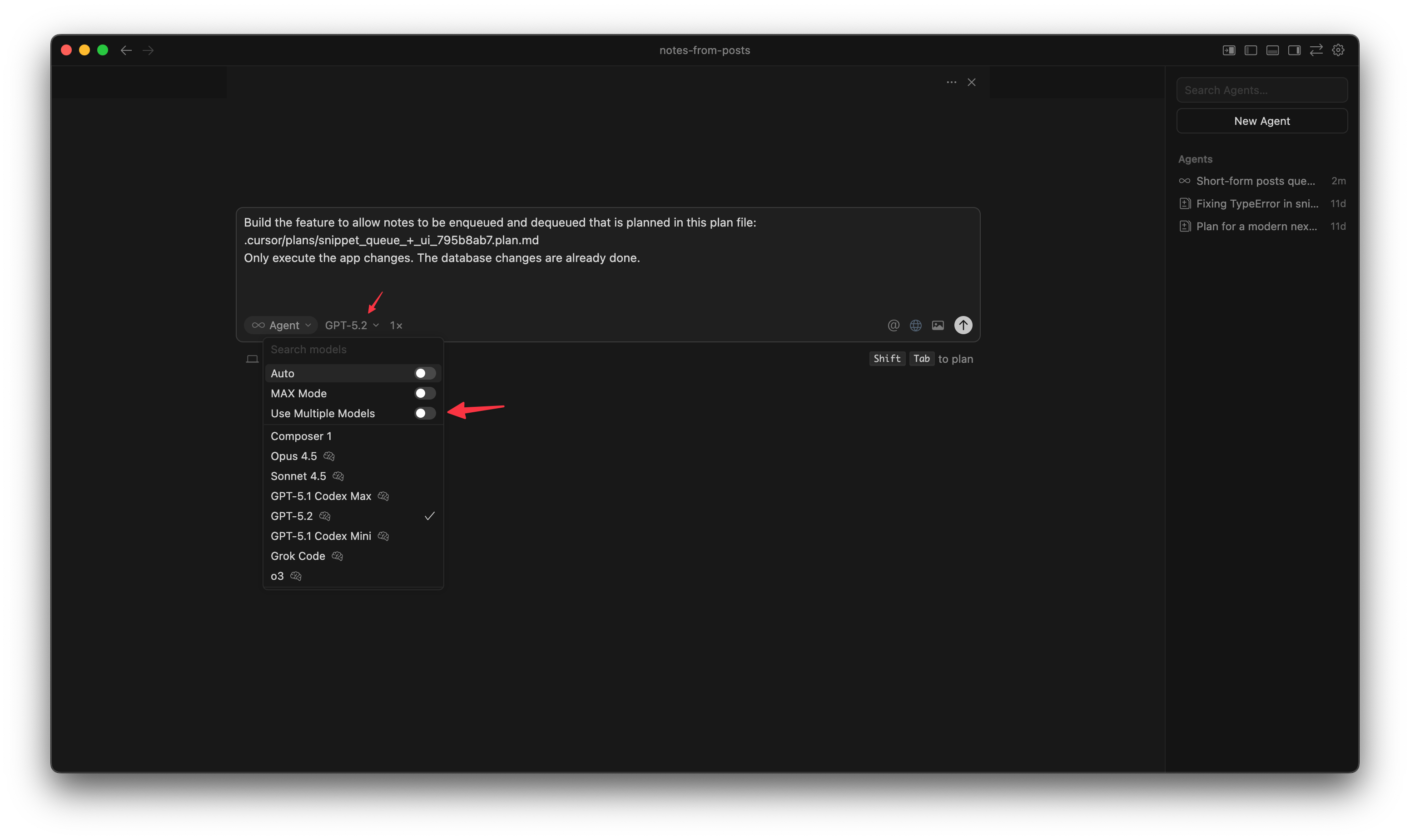
I selected GPT-5.2, Claude Opus 4.5, and Cursor’s own Composer model.
Cursor will run each agent on it’s own Git worktree. You can even click each model to see the output as it’s happening. For long running tasks, it’s a great time to get moving and stretch your legs
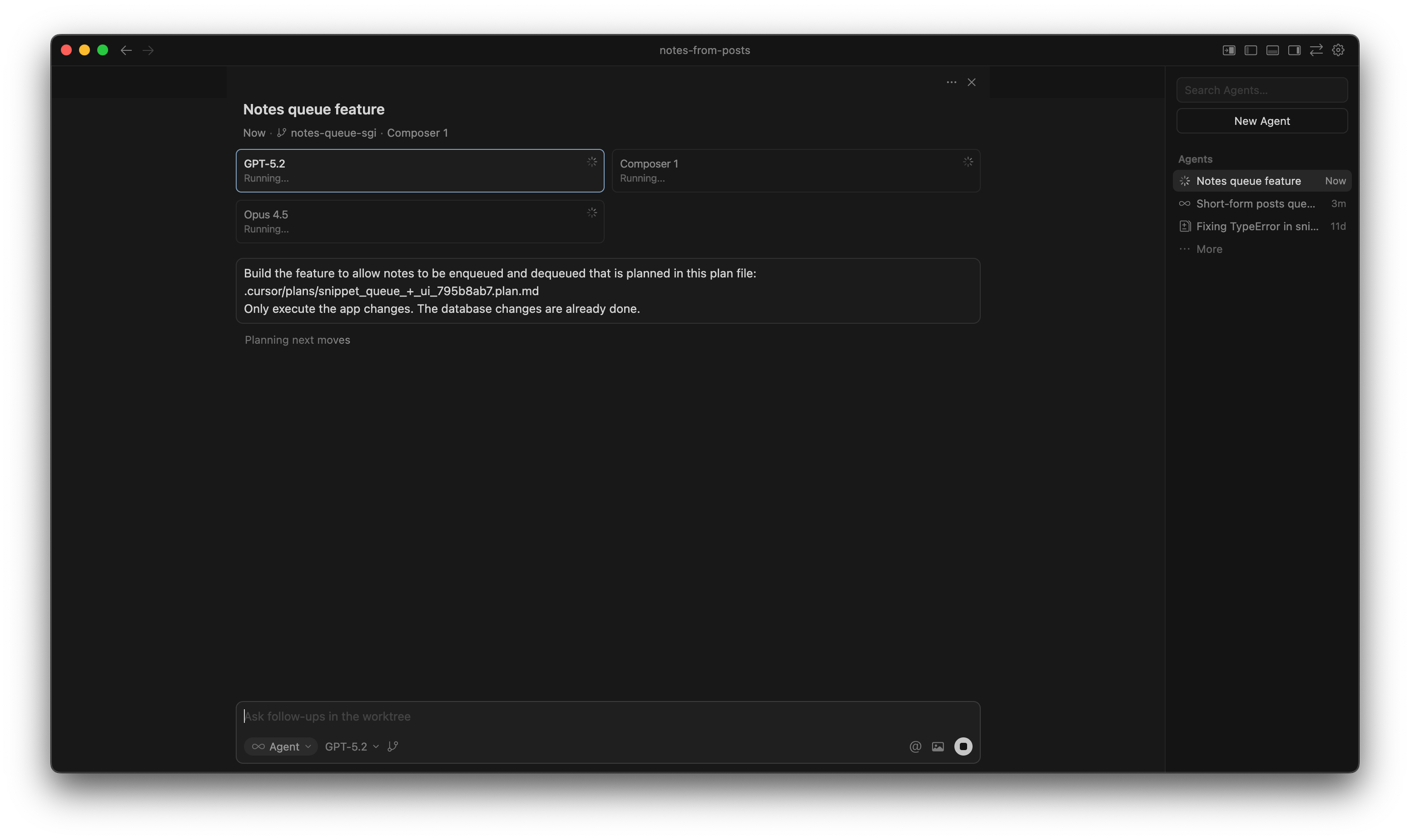
I was very happy to see the agent continuously running npm run build to catch and fix build errors instead of just declaring victory.
You’ll have to actually click “apply” to see the changes from the worktree on your branch.
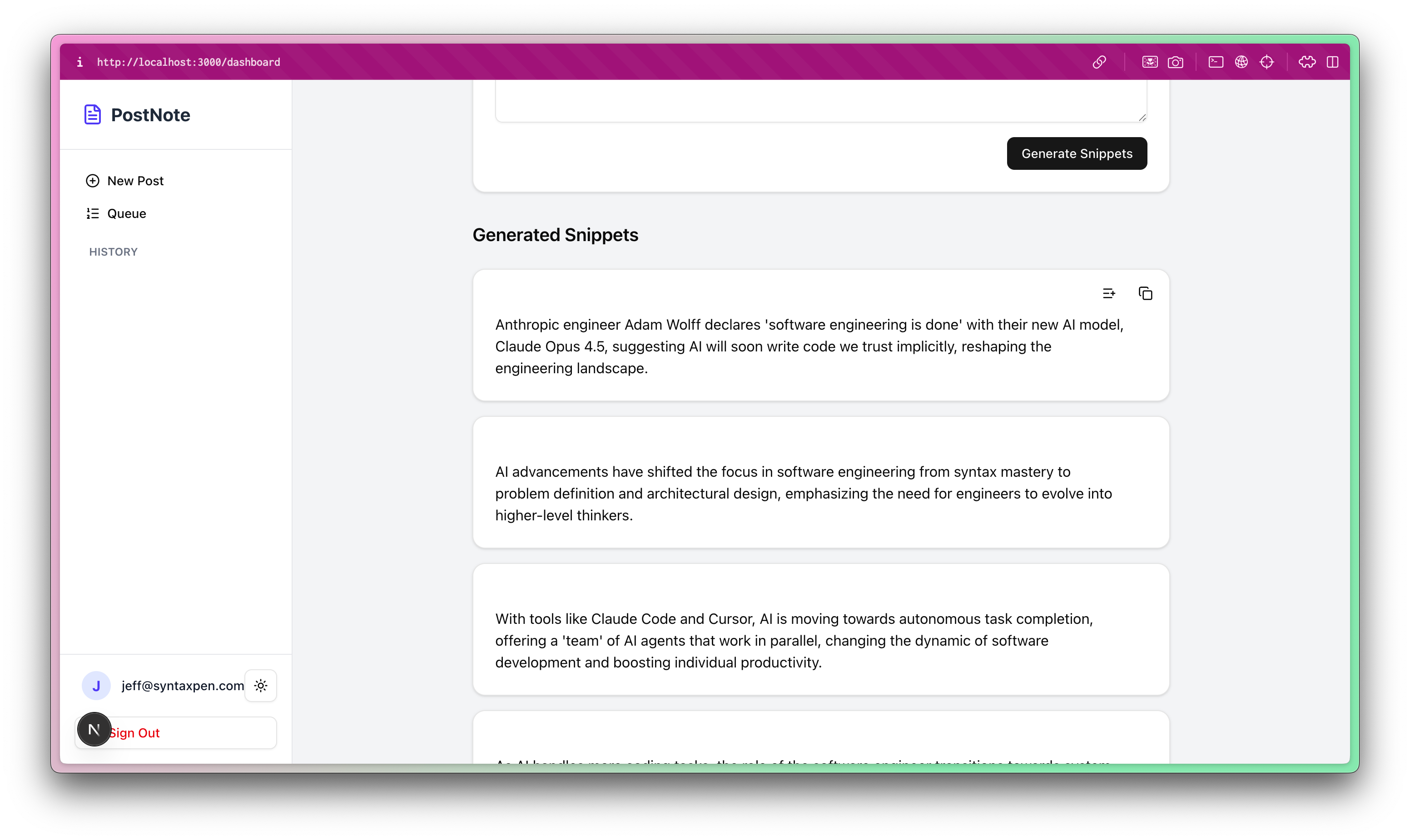
My favorite of the results was from GPT-5.2. There’s an easy button on the generated notes to enqueue it:
This is a clear, hands-on demonstration of leveraging parallel agents for real development work. Your walkthrough highlights how AI orchestration can accelerate feature planning, error catching, and iterative coding, turning complex workflows into manageable, productive experiments.