
Maintaining a deep work state while leveraging AI agents is all about using these tools intentionally. I’m a developer who values monotasking and meaningful focus, which can sometimes be in conflict with my AI use.
I see AI as a support mechanism rather than a source of distraction. Below, I’ll share practical strategies that you can adopt to stay in flow with AI assistants like Cursor, Claude Code, and ChatGPT.
Active monitoring of AI output (and diffs)
Even when AI agents are working for you, staying in the loop is important. Think of it as pair programming: you’re the senior engineer, the AI is the junior. Practice active monitoring. Keep an eye on what the AI is doing in real time, instead of “fire and forget.”
If you’re scrolling social media while AI “thinks” or writes code on your behalf, you’re doing it wrong.
You should devote much of your attention towards monitoring ongoing work. If the AI starts going down an unexpected path, intervening immediately prevents small misunderstandings from snowballing into major rework.
Active monitoring keeps you and the AI on the same page. Don’t let the AI run unattended for long stretches. By scanning its output as it’s generated (many tools stream token-by-token), you can catch design issues or mistakes early.
In practice, this might mean watching the ChatGPT or Cursor output panel as it writes code or content, pausing it if needed, and steering the direction with a follow-up prompt.
This is in conflict with the vision of long-running agents doing everything for you. Yes, there’s promising research in this direction, but we’re not there yet. This is one of the major differences between vibe coding and AI-augmented engineering.
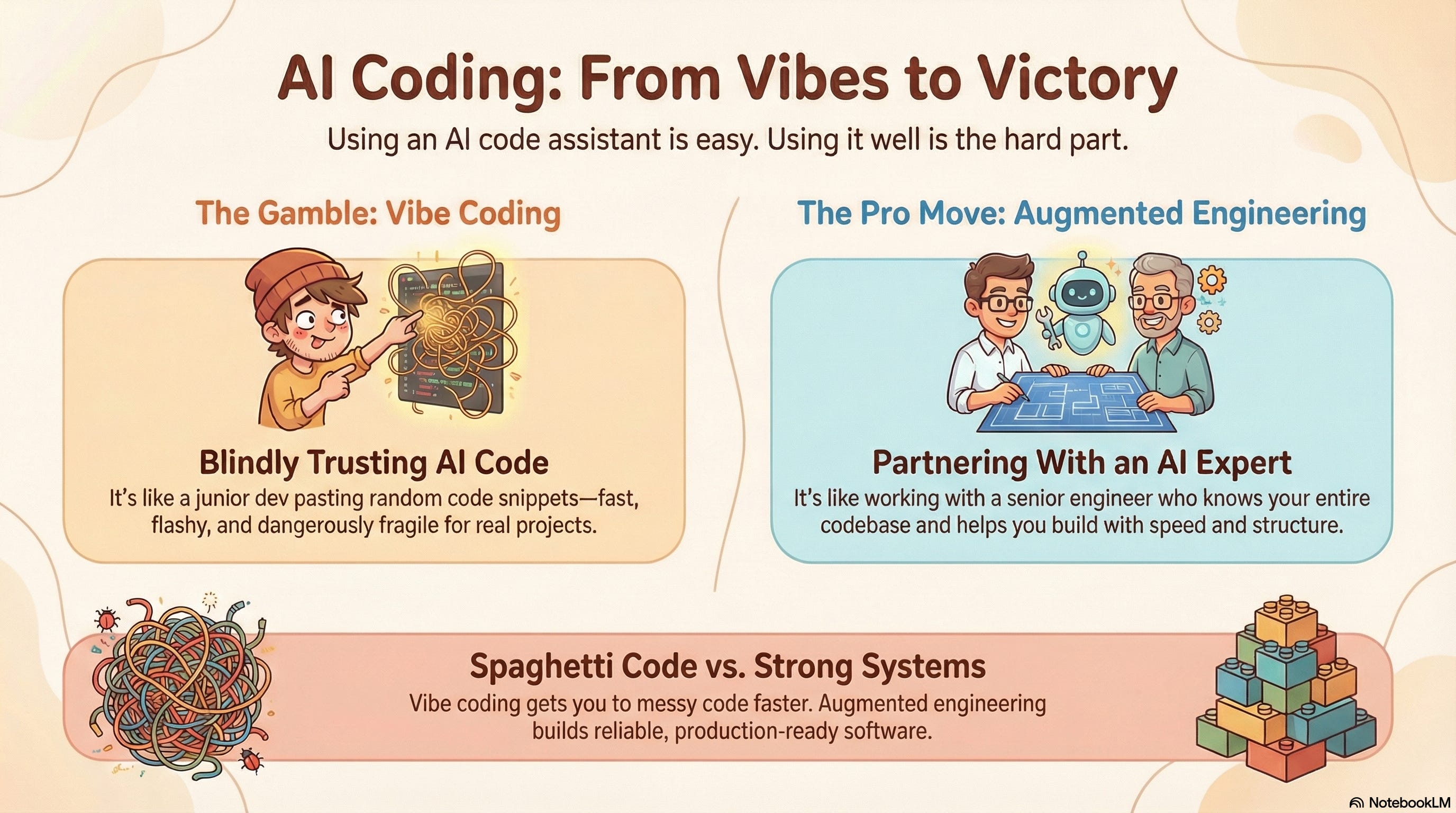
There may be a future where hands-off work is fine, but you’re rolling the dice a bit if you do this today. There are times where “vibe coding” and mostly ignoring diffs make sense, but if you’re doing serious engineering work and looking to maximize productivity, you have to stay as focused as if you were writing the code.
Another aspect of human oversight is rigorous review and testing. Never assume AI-generated code or text is correct until you’ve verified it. Treat the AI’s work as a draft that must pass your inspection.
Always budget time to review and refine what the agent produces. In deep work terms, this review process keeps you cognitively engaged with the task, rather than blindly trusting the AI (which could lead to flow-breaking bugs later).
Parallel agent orchestration
One emerging tactic is parallel agent orchestration – running multiple AI agents on separate tasks concurrently. Instead of tackling one thing at a time, you delegate well-scoped subtasks to different AI “threads.”
For example, some developers fire up several coding agents (multiple instances of Claude Code or Cursor agents) in parallel to work on different features or chores.
This approach turns you into a task manager rather than a single-threaded task doer. The key is to offload work that won’t overwhelm you when results come back.
Modern AI dev tools are evolving to support this. Cursor’s and Claude Code both have good support for this.


Users report this works best for small, self-contained tasks like rewriting copy, updating UI styles, or other changes that don’t require complex integration tests.
Orchestrate without losing focus
Plan what to delegate ahead of time, and use tools to manage asynchronous work. For instance, if an AI agent’s task might take a few minutes, you can set up a notification (using something like Claude Code hooks) to alert you when it’s done. This lets you avoid constantly checking on the AI and falling into distraction. Essentially, you remain monotasked on your primary work stream, knowing that parallel agents will ping you when their background tasks complete.
The rest of this post is exclusive to paid members of the newsletter. Upgrade today to unlock this and the entire Member Vault.
Structuring your workflow to protect focus
Staying productive with AI is often about when and how you use it. Here are several battle-tested techniques to integrate AI into your workflow without fragmenting your attention: