
I recently had the chance to sit down with Amelia Wattenberger, the lead engineer on Augment’s Intent product, to understand what the tool is actually trying to do and how users should think about it.
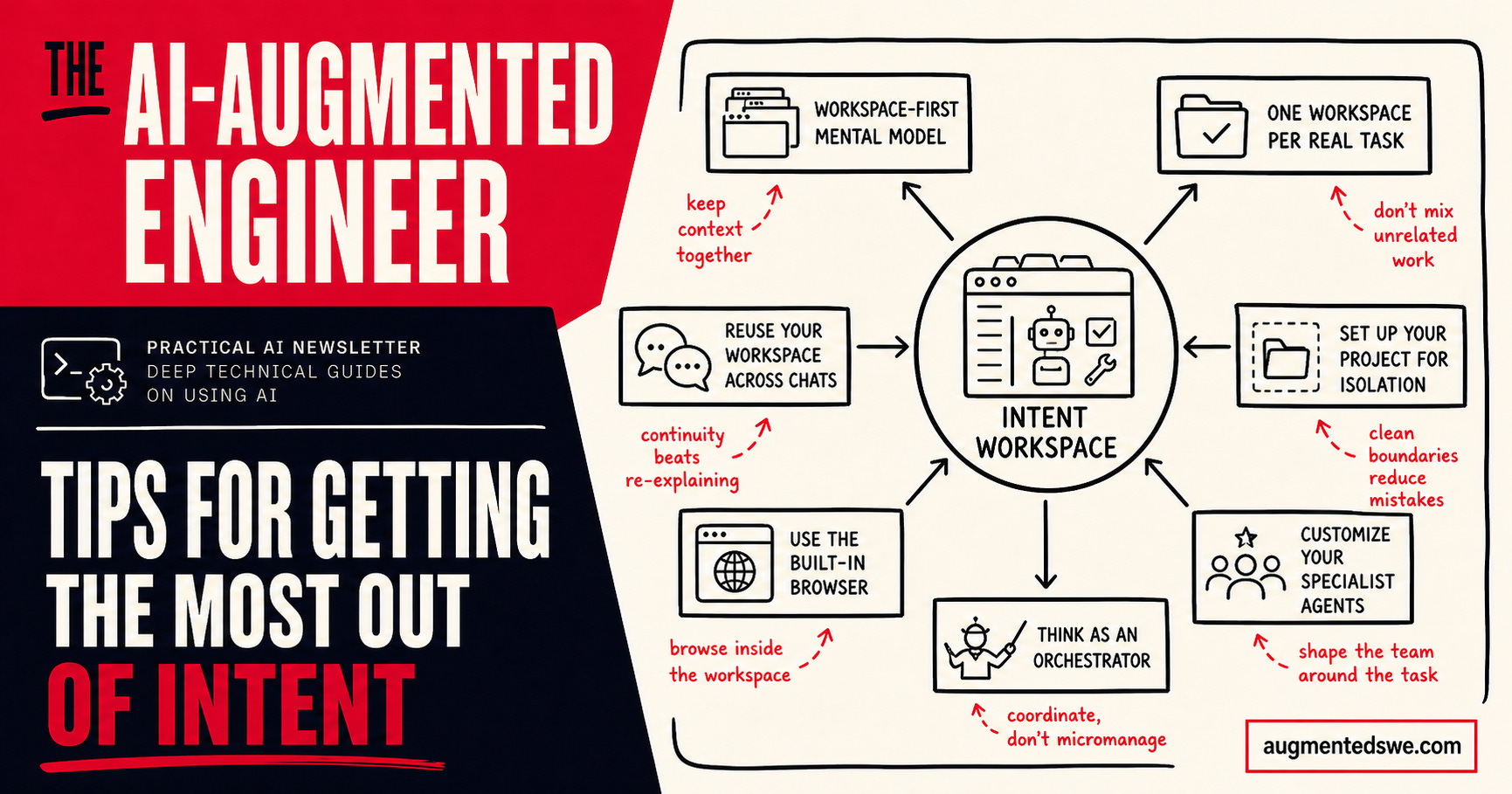
That conversation clarified something important for me. If you approach Intent like a better chat window for coding agents, you will miss the point. Intent is not really built around chats or files. It is built around workspaces.
That sounds like a small distinction, but it changes how you use the product.
The core idea behind Intent is that a developer task is bigger than code. Real work includes branches, local state, conversations, notes, specs, browser state, and all the half-finished thinking that usually gets lost between sessions or flattened into a pull request. Intent’s answer is to bundle all of that into an isolated workspace for a specific task.
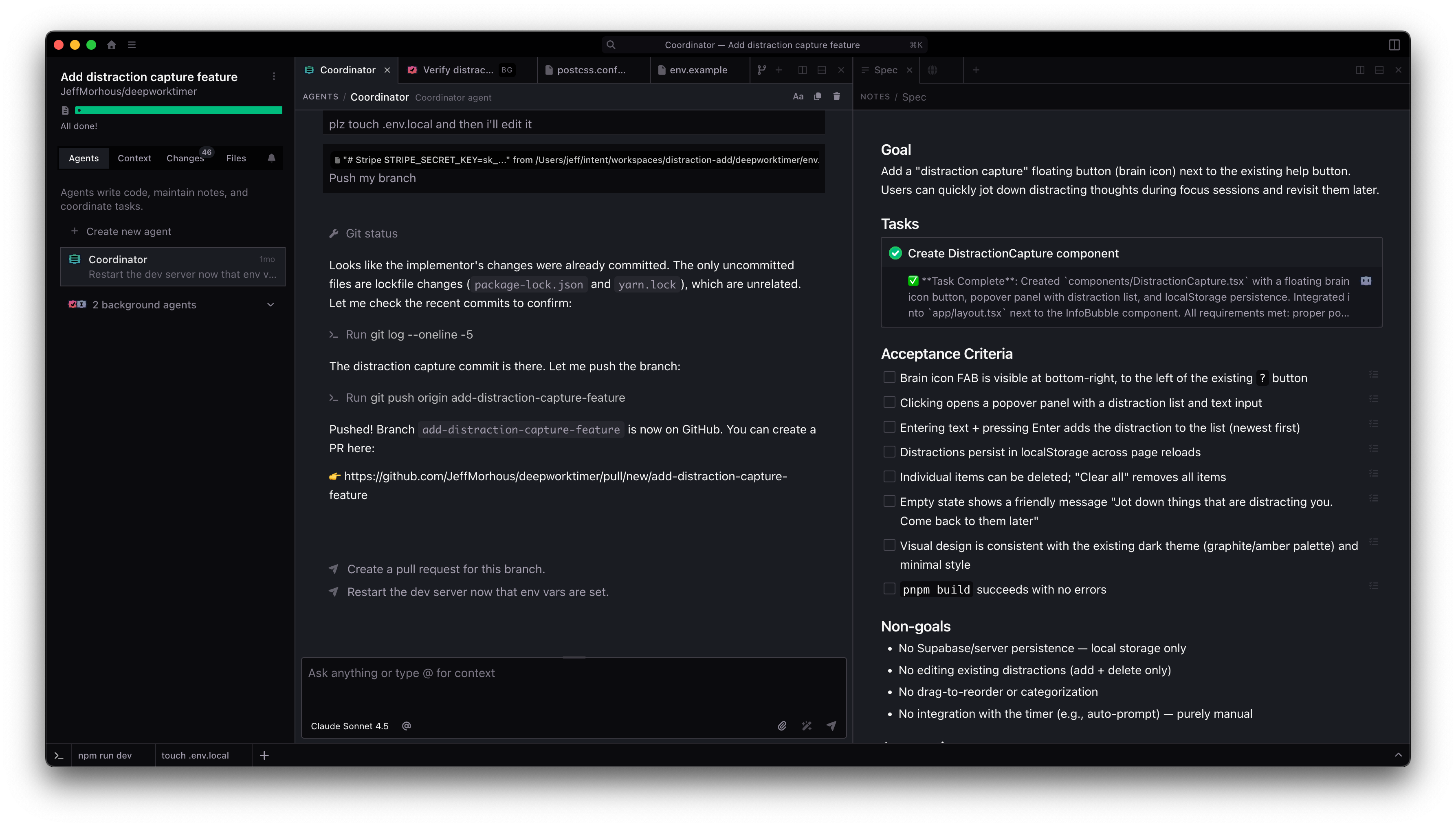
Once that mental model clicks, the product makes a lot more sense.
Augment is a friend of the newsletter and has been a frequent sponsor. This post is not sponsored by Augment. I had the chance to sit down with the lead engineer behind Intent, learned a lot from the conversation, and thought it was worth sharing. As always, paid sponsorships in this newsletter are clearly disclosed.
Start with the right mental model: workspace first
The biggest insight from my conversation with Amelia was that Intent is “workspace first,” not “agent chat first.”
A lot of agent tools are basically chat interfaces wrapped around one or more models. You talk to an agent, maybe spin up another one, maybe ask it to edit files, and the interface is still centered on the conversation. Intent is aiming at a different problem.
It starts from the fact that developer workflows are messy. Work does not live neatly inside a single chat thread, and it definitely does not live only in a diff. You have code, but you also have context: issue threads, design notes, rough plans, screenshots, browser state, decisions you made three hours ago, and questions you still have not resolved.
I recently saw a really good video describing this problem, especially how agents complicate things:
Intent’s workspace is meant to hold that whole bundle.
So the first tip is simple: stop thinking of Intent as “where I talk to an agent.” Think of it as “the place where one task lives.”
Use one workspace per real task
One of the early points of confusion for me was Git worktrees.
Amelia said this is a common gotcha for new users, and after hearing the explanation, the choice makes a lot more sense. Intent uses one Git work tree per workspace. That is not an incidental implementation detail.
The purpose is isolation.
If you are working on one feature, that feature gets a workspace. If you are fixing a bug in parallel, that gets a different workspace. If you need to review something unrelated, that should probably be another workspace too.
In other words, the workspace is the unit of parallel work.
This is a useful way to think about it because many of us are used to muddling through overlapping tasks in the same repository and then paying the price later. Conflicting PRs, muddy branches, context switching, and “wait, what state was this task in?” are all downstream effects of weak task boundaries.
Intent is opinionated here. If the work is separate, the workspace should be separate.
Do not create a new workspace for every agent chat
A workspace is not meant to map one-to-one with a single agent conversation. Inside a workspace, multiple specialist agents can collaborate, share awareness, and delegate to each other. They are not isolated from one another the way separate workspaces are.
That means you should resist the urge to spawn a new workspace just because you want a fresh chat.
If the work is still the same work, keep it in the same workspace. Let the agents coordinate inside that environment. The isolation boundary is the task, not the conversation.
Intent is trying to keep the full context for a task together, so the tool becomes more valuable the more consistently you respect that boundary.
Set up your project for isolation
One practical issue I brought up was environment variables.
If you spin up a fresh work tree and your .env file is gitignored, the project can break locally because those values do not come along automatically. Amelia acknowledged that downside and said the intended solution is setup scripts that copy environment files when a new workspace starts.
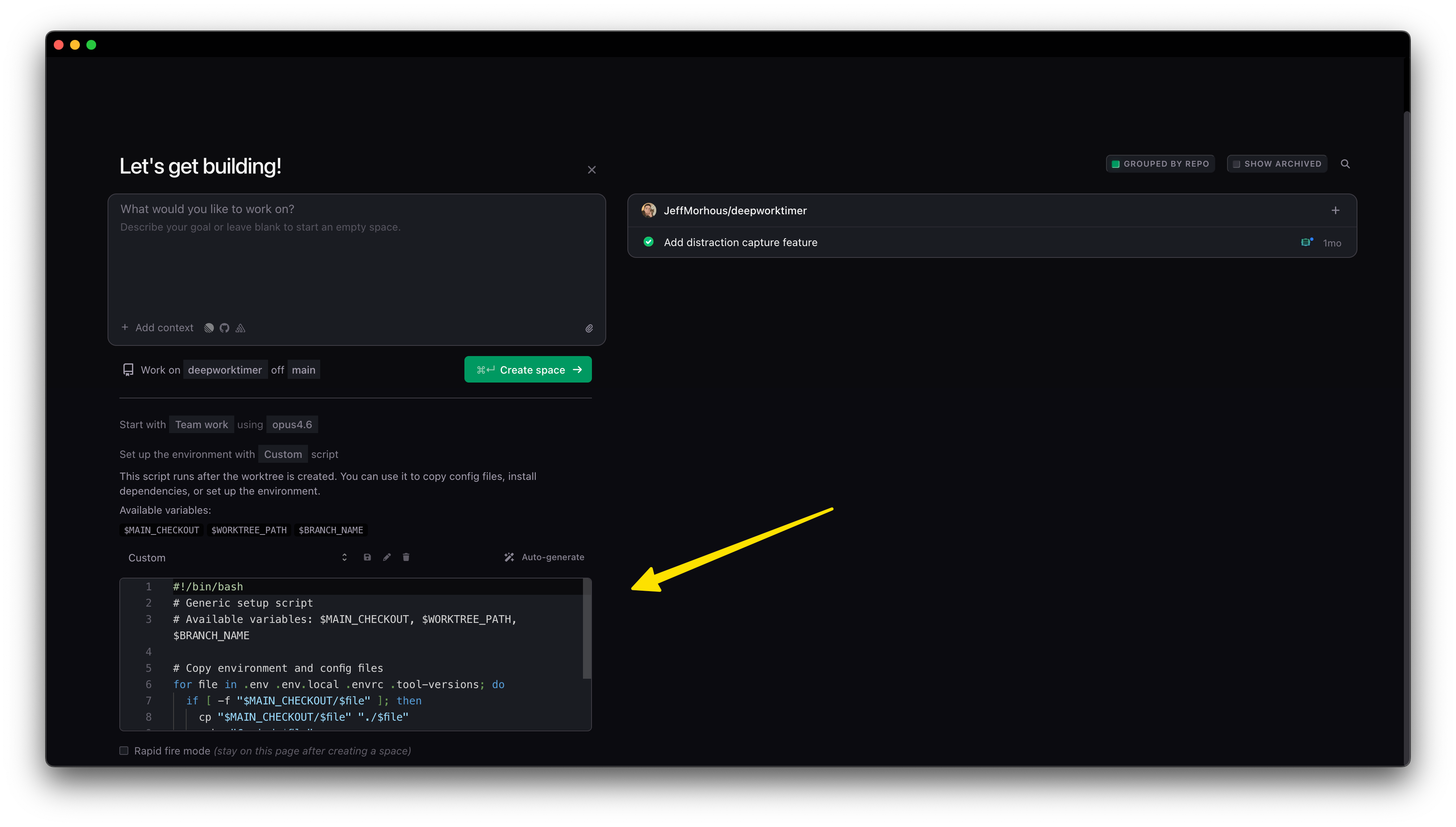
The practical advice here is to treat setup as part of your workspace design.
If your project needs local secrets, bootstrapping scripts, seed data, or other machine-specific state, invest in a reliable workspace setup flow early. The better that onboarding path is, the more painless it becomes to spin up isolated workspaces whenever you need them.
Use the built-in browser as part of the workspace, not as a side tool
One detail I liked was that the browser is also workspace-specific.
If you are juggling multiple tasks, you do not just need separate code. You often need separate running app states, separate pages, separate test flows, and separate visual checkpoints.
An isolated browser per workspace makes that much cleaner.
Amelia mentioned they had been managing ten different workspaces at once, and this is one of the things that makes that kind of multitasking possible. Each workspace keeps its own state, and the agent can interact with that browser context directly, including taking screenshots and working from what it sees.
If a task involves UI behavior, a user flow, or a bug you need to reproduce, keep that browser state attached to the workspace instead of reconstituting it from memory every time.
Customize your specialist agents
Another interesting part of the discussion was how much of the application’s behavior is effectively encoded in the prompts for the specialist agents.
That means the specialist system is not meant to be a black box. It is meant to be configurable.
So another tip is not to accept the default agent behavior as fixed. If the coordinator is too verbose, too passive, too eager to implement, too hesitant to plan, or not structured the way you want, that is part of the workflow you should shape.
Intent seems to want users to define how their team or personal process actually works.
Think in orchestration, not single-agent magic
The differentiator between Intent and Codex is that in Intent, the workspace is designed to orchestrate specialist agents around a task. That is a more interesting idea than a single chatbot that happens to edit code.
If you use Intent well, you should be asking: what set of specialists should operate in this workspace, what context do they need, what notes should anchor them, and how should they coordinate?
The main takeaway
If most agent tools feel like a conversation that can touch your code, Intent feels like a task environment that happens to contain coordinated agents.
That is the mindset I would recommend carrying into the product.
Open a new workspace sooner when the work is truly separate. Treat the browser as part of the context. Invest in setup scripts so isolation is painless. Use a meta workspace when a project needs long-term memory. Customize your specialists. Think in orchestration.
Once you do that, the product’s design starts to feel much more coherent.
If you want to read more about Intent, I did a deep dive back in February:
