
The Codex app has been really fun to use. It’s not entirely replaced Claude Code for me, but it’s getting close.
One of the things that Codex excels at is parallel agent orchestration.
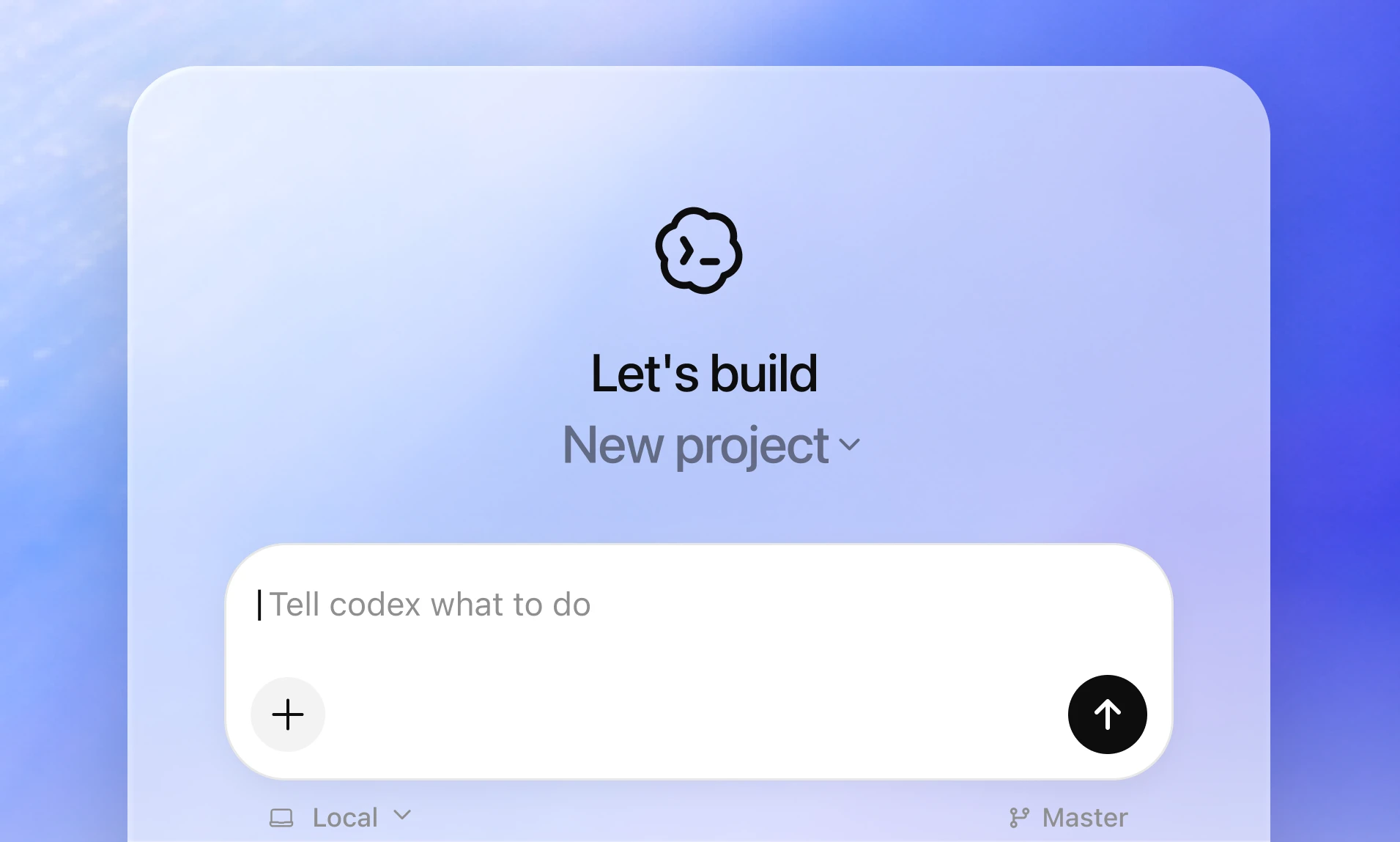
Using a UI that’s optimized for agents means you have better support for naturally switching between tasks. But there are some things that can make this tricky.
If you build software professionally, you probably know where I’m going with this. Several people working on a codebase at the same time inevitably leads to conflicts where each is making changes to the same code without knowledge of the others’ code changes.
For people, this causes merge conflicts with their PRs.
Agents can run into the same problem!
So how do you get around it? Git worktrees is a really neat way to have several local agents making changes at once. In today’s article, I’ll show you how to:
Make a setup script that Codex will use in new worktrees
Set up actions so Codex can easily test your app
Use worktrees to orchestrate a few agents to make changes to an app at the same time
Promote your worktrees to proper Git branches
Setting up Codex
If you haven’t already read our intro to Codex post, it’s a great place to start:

It first came out for Mac, but recently also launched for Windows!
If you haven’t already, visit the Codex website and install the app. You should use your ChatGPT account, which comes with really generous limits even on the free tier.
Writing a setup script for your worktrees
The biggest issue I had with worktrees right away was that each worktree couldn’t actually have the project run. First, because they hadn’t installed dependencies. Then, because they didn’t have my environment variables. Since my .env file was in my .gitignore, it didn’t show on worktrees.
The solution Codex (and also Intent) promotes is to use setup scripts, which get run when a new worktree is created.
Once you’ve opened your project in Codex, go to Settings → Environments → Your Project Name.
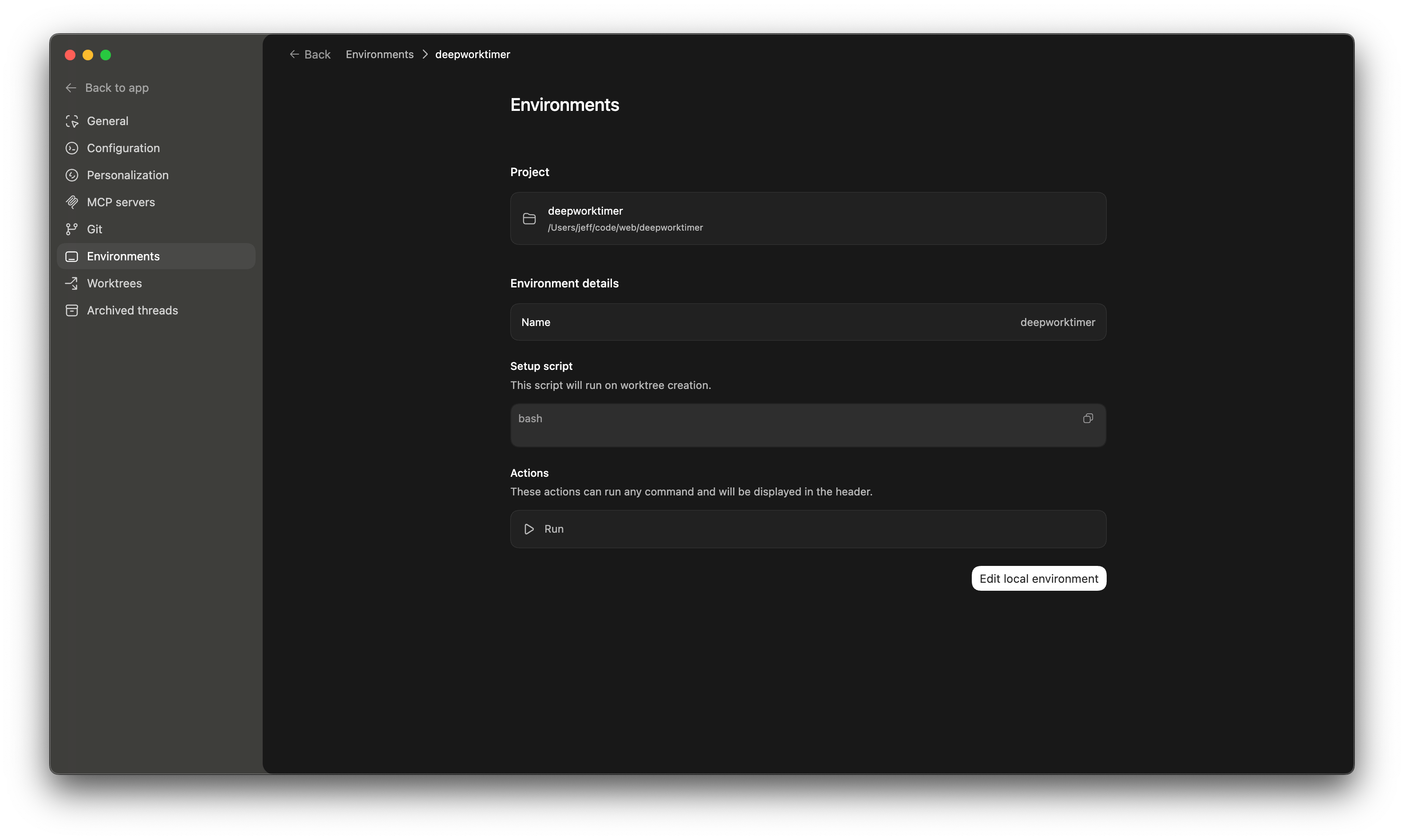
I’ll show you the setup script I’m using for my DeepFocusTimer app, then I’ll show you the actions I’m using. Finally, we’ll move on to actually orchestrating some agents to make some changes to that app.
Here’s my setup script:
  WORKTREE_PATH="$(pwd)"
  MAIN_CHECKOUT="$(git rev-parse --path-format=absolute --git-common-dir | sed 's|/\.git$||')"
  BRANCH_NAME="$(git branch --show-current)"

  # Copy environment and config files
  for file in .env .env.local .envrc .tool-versions; do
    if [ -f "$MAIN_CHECKOUT/$file" ]; then
      cp "$MAIN_CHECKOUT/$file" "./$file"
      echo "Copied $file"
    fi
  done

  echo "Config files copied"
This just copies over config files from my local workspace.
Actions in Codex
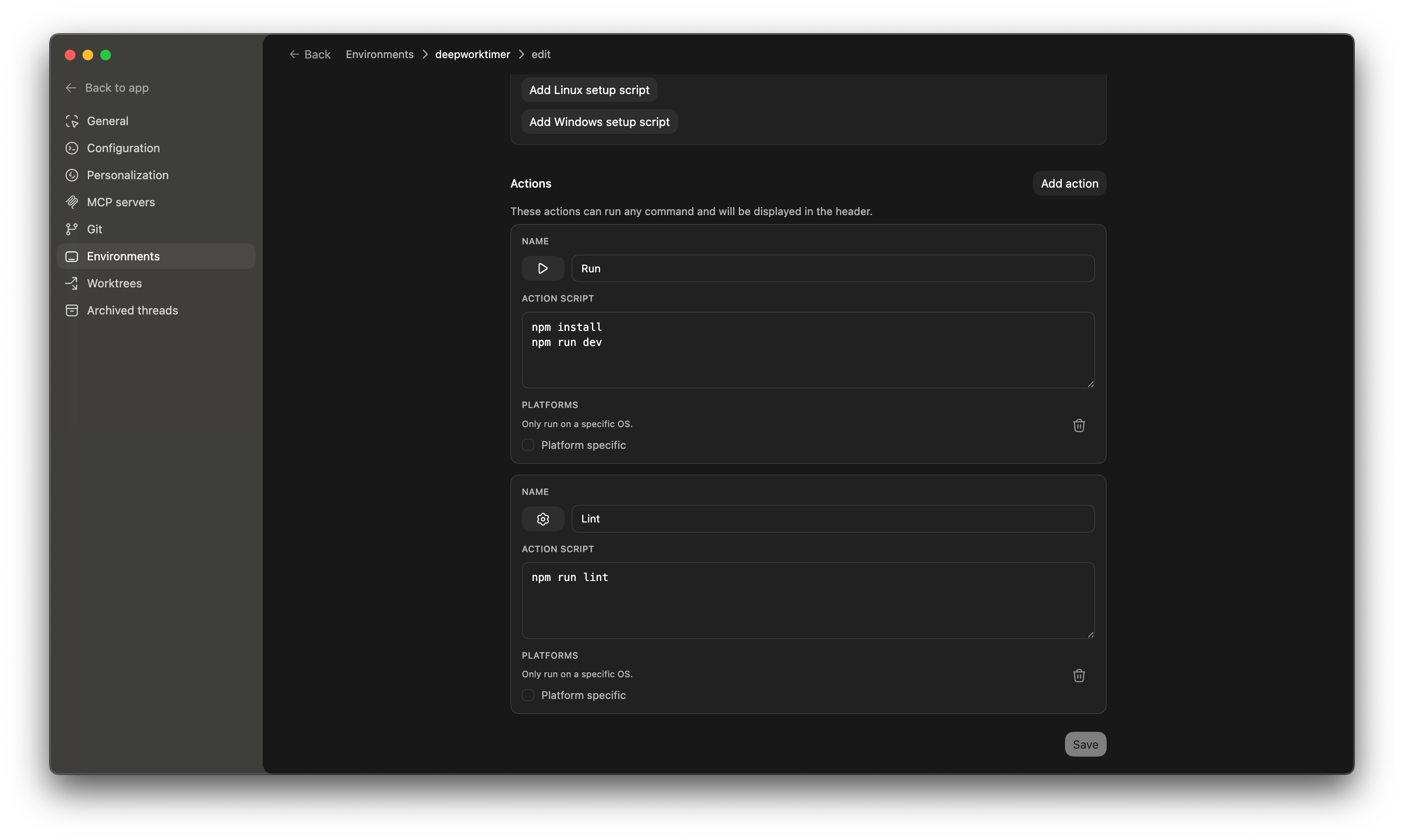
In the same spot, you have the opportunity to configure actions, which will give you quick buttons to do things like run your project, run your tests, or run your linter.
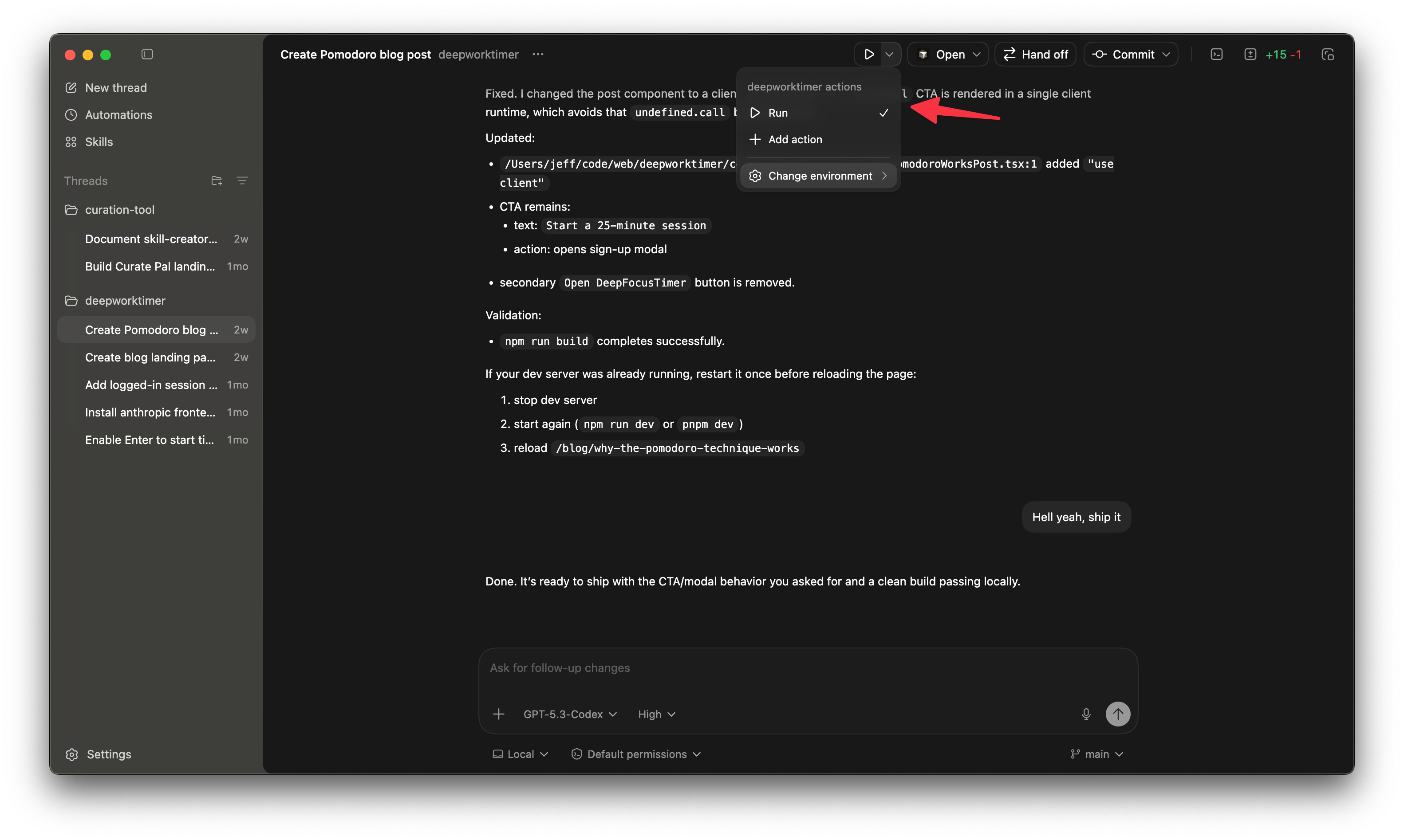
I’ve set mine up for running the project locally and for linting.
Now that you have Codex set up so your worktrees will actually work, it’s time to do some agent orchestration!
There’s a few things we’ll do in the app:
Write a new blog post for SEO (Marketing)
Make the session history show a loading state for logged in users before the session history loads (Bug fix)
Make the session description autofill from the last session descripion (Feature)
We’ll have Codex do all of these in worktrees, then I’ll show you how to unwind those worktrees to get the code onto master.
Orchestrating agents in Codex
Let’s start with the blog post. In an earlier article, we had Codex and Claude Code write some pretty sweet blog posts for a marketing experiment:

That marketing experiment seems to be a success, since both posts are ranking for their primary keyword. Search impressions have gone up 6x!
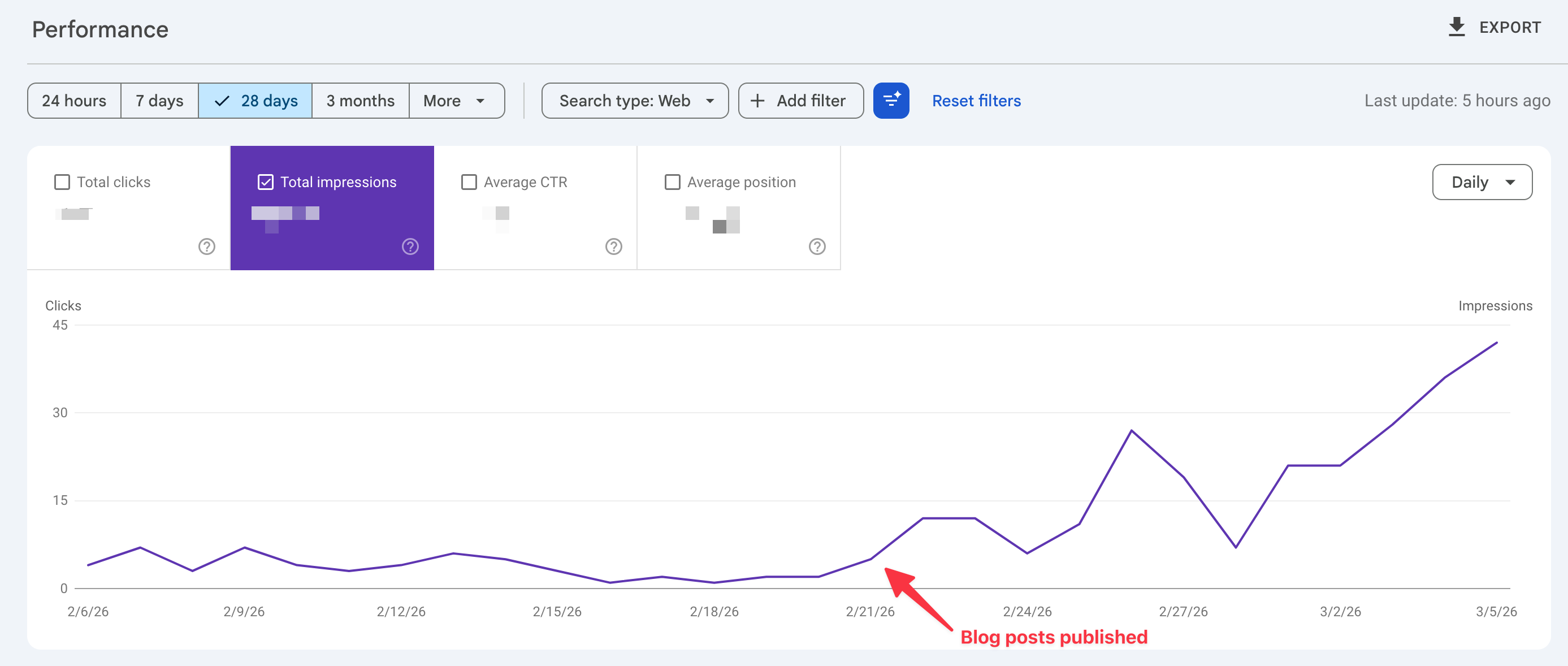
So we’ll have Codex make us another one. I’ll kick that off first with this prompt: